
This document is intended to help the users understand the Tamper Alarm feature of the MT78 GPS tracker, including what the alarm means, how it works, and how to install the device correctly.
When the MT78 detects that it has been removed from its installed position, the device will automatically send a Tamper Alarm event to the user’s tracking platform or server, where the alarm is displayed as Tamper Alarm.
What Is a Tamper Alarm?
A Tamper Alarm indicates that the MT78 GPS tracker has been removed from its installed position.
This alarm helps users quickly identify possible unauthorized removal, detachment, or interference with the device after installation.
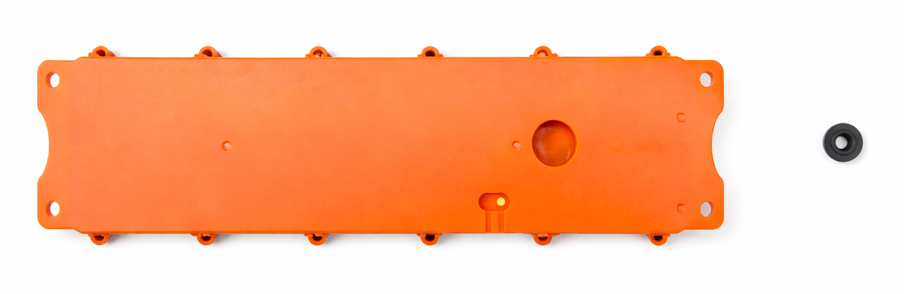
How Does Tamper Alarm Work?
MT78 uses a built-in magnetic detection mechanism to monitor its installation status.
- When the tracker is correctly installed on its magnet, the device remains in normal status
- When the tracker is separated from the magnet, a Tamper Alarm is triggered
This process works automatically once the device is installed and does not require manual operation.
Magnetic Design for Tamper Detection
MT78 is designed with a dedicated magnet slot on its enclosure.
During installation:
- The magnet is fixed to the vehicle or asset
- The MT78 tracker is placed directly above the magnet
- The magnet fits securely into the slot on the back of the tracker
When the magnet is fully embedded, MT78 can reliably confirm that it is properly installed.
Installation Methods
MT78 supports two installation methods based on the mounting surface.
Method 1: Magnetic Surface Installation
Recommended for metal surfaces, such as vehicle frames or metal equipment parts.
Steps:
- Attach the magnet directly to the metal surface
- Align the MT78 tracker with the magnet
- Ensure the magnet is fully embedded into the magnet slot
- Installation completed
Method 2: Non-Magnetic Surface Installation
Recommended for non-metal surfaces, such as plastic or composite materials.
Steps:
- Insert a screw through the hole in the magnet
- Secure the magnet firmly to the mounting surface
- Align the MT78 tracker with the fixed magnet
- Ensure the magnet is fully embedded into the magnet slot
- Installation completed
When Will a Tamper Alarm Be Triggered?
A Tamper Alarm will be triggered immediately if:
- The magnet is removed
- The tracker is taken off the magnet
- The tracker is pulled away from its installation position
Once triggered, the alarm is reported to the platform and displayed as Tamper Alarm.
What Should Users Do After Receiving a Tamper Alarm?
If a Tamper Alarm appears on the platform, users should:
- Check the last reported location of the device
- Confirm whether the removal was intentional
- Inspect the installation position and magnet condition
- Reinstall the tracker correctly if needed
Important Notes
- Always use the original magnet supplied with MT78
- Make sure the magnet is firmly fixed and does not move
- Avoid gaps or obstructions between the tracker and the magnet
- Tamper Alarm does not affect GPS tracking or data reporting
Summary
The MT78 Tamper Alarm provides an additional layer of protection by notifying users when the device is removed from its installed position.
With correct installation and proper magnet alignment, MT78 can reliably detect tampering events and help users respond quickly to potential security risks.